Trusted by 1M+ active users worldwide
Available in 25+ countries
1-year warranty on every device
Free app, no subscriptions, all features included
24/7 customer support
Vita AI wellness coach built in
0%

Choosing a Kids Fitness Smartwatch is less about finding the most impressive screen and more about choosing a tool your child will actually wear. A snug, lightweight band matters when small wrists are running across a playground. So does a display that remains readable outdoors. The best choice should fit your child’s age, routines, and comfort—not just your wish list.

Exercise researcher and Harvard psychiatrist Dr. John J. Ratey has said, “Exercise is the single best thing you can do for your brain in terms of mood, memory, and learning.” His point is about movement, not smartwatch features. A watch may encourage activity, but it cannot replace outdoor play, family walks, or rest. That distinction is easy to overlook.

This guide looks at practical details: step and activity tracking, battery life, water resistance, ease of use, and parent controls. It also considers privacy settings and whether location features are genuinely useful for your family. Check the maker’s age guidance and read its data policy before connecting an account. Simple can be better. A bright screen and a long feature list may look appealing, yet create more distractions than motivation. And no tracker measures a child’s wellbeing perfectly. Use the numbers as rough signals, not grades. A watch can help start a conversation; it should not turn play into a daily performance test.
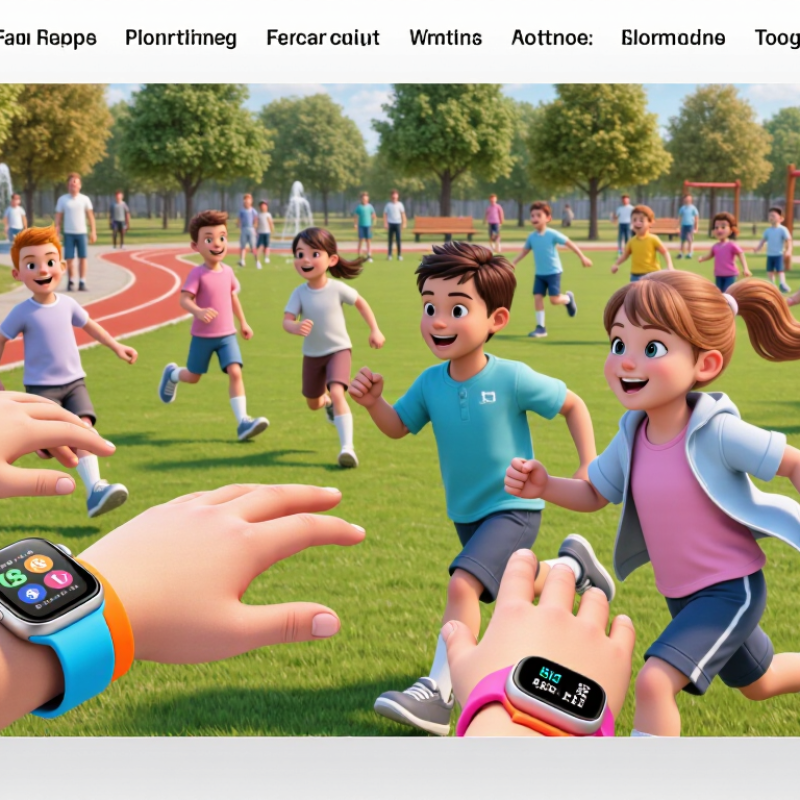
How to Choose the Best Kids Fitness Smartwatch?

Identify Your Child’s Age, Needs, and Daily Activities

A child’s age is a useful starting point, but readiness matters just as much. Can your child read the screen, manage a clasp, and remember to charge a device? For younger children, large icons and simple controls may be more practical than detailed charts. Check the watch’s weight and strap against a small wrist. Comfort matters. A watch that rubs during recess will probably stay in a drawer.

Think about ordinary days, not just ideal exercise plans. Does your child walk to school, play soccer, swim, or mostly need gentle reminders to move? Match features to those routines. If swimming is common, check the stated water-resistance limits rather than assuming every watch is swim-safe. If notifications distract your child in class, choose a model with quiet settings. Activity counts are estimates, not a measure of health or effort. Children grow at different speeds, and numbers can miss the joy of play.

Consider your child’s own priorities, too. One may want a timer for dance practice; another may care more about an easy-to-read clock. Ask what they would actually use, then try the controls together before buying. It is tempting to choose the device with the most features, but more can mean more charging and more confusion. I would reconsider that choice if setup feels frustrating after a few days. The best fit is the one that supports a routine without turning movement into a score.

Check Comfort, Fit, and Age-Appropriate Design

A kids’ fitness smartwatch should feel comfortable before its features matter. Measure the child’s wrist and compare it with the device’s adjustment range, leaving room for growth. The strap should stay in place during play but allow a fingertip to slide underneath. Too tight can irritate skin; too loose can make the screen slide around. Small details matter.

Look for smooth edges, a lightweight body, and a strap that is easy to clean after a sweaty game. Check for pressure marks or redness after the first few wears, especially if the child has sensitive skin. A watch that feels fine in a shop may feel different during a full school day. I would not rely on appearance alone.

Age-appropriate design means more than a smaller case. Younger children may do better with clear numbers, large touch targets, and simple controls they can use without constant help. Older kids may prefer more activity choices, but extra alerts can become distracting. Let them try it on and tap through the menus. Let them move. If they keep adjusting the strap or asking to take it off, treat that as useful feedback, not fussiness.

Compare Fitness Tracking and Safety Features

A useful kids fitness smartwatch should make movement visible without turning every step into a score. Compare step counts, active minutes, and sleep estimates, and check whether the app explains how each is measured. A walk to school may register differently from playground running, so weekly patterns are more useful than one exact number. Keep it simple.

Safety tools deserve equal scrutiny. Location sharing can help caregivers check a route, but signals may weaken indoors or in crowded places. Test alerts, calling, and location updates near home before relying on them during a busy afternoon. Check who can view location data, how long records are stored, and whether a parent account controls access. Features differ.

Comfort matters, too. A heavy watch can bother a small wrist, while a strap that loosens during play may make tracking unreliable. Look for clear battery information; frequent charging can leave the watch unused when it is most needed. It is easy to overvalue a precise-looking map or step total. These tools can support family routines, but they cannot replace an agreed check-in plan or adult judgment. Do not assume every feature works equally well in every setting.

How to Choose the Best Kids Fitness Smartwatch? - Compare Fitness Tracking and Safety Features

Feature What to Check Why It Matters Practical Buying Guidance
Step and activity tracking Check whether the watch records steps, active minutes, and movement goals, and whether goals can be adjusted. Simple activity summaries can help children notice everyday movement without focusing only on numbers. Choose clear, age-appropriate goals and make sure the activity features can be used without unnecessary competition or pressure.
Heart-rate tracking Confirm whether heart-rate readings are available during the day or exercise, and how the watch displays them. Wrist-based readings can be affected by fit, movement, and other factors; they are not a medical diagnosis. Treat readings as general wellness information, not as a substitute for medical advice or a dedicated medical device.
Sleep tracking Look for overnight tracking, a readable sleep summary, and controls for notifications or screen use at bedtime. Sleep summaries may help families notice routines, but estimates from a watch are not a clinical sleep assessment. Prioritize a comfortable fit and bedtime controls. Avoid relying on the watch to identify or diagnose sleep problems.
GPS location Check whether location uses built-in GPS, a paired phone, or a combination, and whether a service plan is required. Location features can support family coordination, but accuracy varies with surroundings, signal, and device setup. Review coverage, ongoing costs, update frequency, and location-sharing settings before purchase.
Geofence alerts Check whether caregivers can set location zones and receive notifications when the watch enters or leaves them. Alerts may help with routine check-ins, but network delays or location inaccuracies can affect when they arrive. Use alerts as an additional aid, not as a guarantee of a child’s location or a replacement for supervision.
SOS or emergency contact Find out how the emergency function is activated, who is contacted, and whether it requires cellular service. A clear, accessible way to contact a caregiver can be useful when a child needs help. Set up and test the feature with caregivers, explain when to use it, and check what happens when there is no signal.
Calling and messaging Check whether the watch supports calls or messages, which contacts can reach it, and whether caregiver approval is available. Contact controls can make communication simpler while helping families limit unwanted interactions. Review contact restrictions, available network coverage, data handling, and any recurring service fees.
Water resistance Read the stated water-resistance rating and the manufacturer’s guidance for swimming, bathing, and water exposure. Water resistance differs by device; a rating does not mean every watch is suitable for every water activity. Match the rating to the child’s activities and check whether buttons should be used underwater or the watch needs care afterward.
Battery life Compare the stated battery life with the expected use of GPS, calls, screen features, and frequent location updates. Some connected features can use more power, so real-world battery life may differ from advertised estimates. Consider how often the watch will need charging and whether the child can manage that routine.
Comfort and fit Check the recommended age or wrist size, strap adjustability, watch weight, and skin-contact materials. A watch that fits comfortably is more likely to be worn consistently and may provide more reliable sensor contact. Look for a secure, adjustable strap and a return option in case the size or feel is unsuitable.
Privacy and parental controls Review what information is collected, who can view it, how long it is stored, and which controls caregivers can change. Location, activity, and contact information are sensitive; families should understand how these data are handled. Choose settings that limit sharing to trusted caregivers, use strong account security, and let the child know what is being tracked.

Tip: Features, service requirements, and water-resistance guidance vary by device. Check the current product documentation and local network availability before buying.

Review Privacy, Battery Life, and Device Compatibility

When choosing a kids’ fitness smartwatch, treat privacy as a daily-use feature, not fine print. Check whether location sharing can be switched off, who can view activity, and whether data is stored or shared. Set up a parent account with a strong, unique password, then review permissions together. A watch that records routes may reveal more than step counts. That deserves a pause. Read the privacy settings before your child wears it outside.

Battery life affects whether the watch is useful after school. Ask how long it lasts with location tracking, calls, and frequent screen checks enabled. Advertised standby time may not match a busy school day. A charging routine helps, but small charging docks are easy to misplace. I would test the watch for several days before relying on it for a full week.

Check device compatibility before buying. Confirm that the watch works with your family’s phones and operating systems, and that its companion app supports the features you need. Some functions may require a specific phone or newer software. Updates can also change how an app behaves. It is worth checking the setup process yourself; instructions that look simple online can feel fiddly when a child is waiting to use the watch.

Evaluate Durability, Ease of Use, and Overall Value

A kids’ fitness smartwatch should handle more than a careful walk. Check the strap where it meets the case, and look for buttons that do not feel loose. A soft strap may be comfortable, but it still needs to stay secure during running and climbing. Read the care instructions and water-resistance details rather than assuming the watch can handle every splash. Small details matter. A watch that needs frequent repairs can quickly lose its value.

Ease of use matters just as much. Can a child read the screen outdoors? Are the main controls clear enough to use without an adult explaining every step? Try the menus together before buying, if possible. A simple display and adjustable strap may be more useful than a long list of features. That is not a perfect test, though; children differ in hand size, reading ability, and patience.

Compare the total cost with the features your family will actually use. Check whether the watch needs a separate subscription, how often it must be charged, and whether replacement straps are available. A low price can be misleading if daily charging becomes a chore. It is easy to overvalue extra functions and overlook comfort. Ask your child to wear it for a few minutes; a pinching strap or confusing screen may tell you more than the box.

FAQS

How can I tell if my child is ready for a fitness smartwatch?

Check whether your child can read the screen, manage the clasp, and remember charging. A large display may help. Try it on a small wrist; rubbing during recess matters.

Which features suit my child’s daily routine?

Think about school walks, soccer, swimming, or dance practice. A timer or clear clock may be more useful than detailed activity charts. Ask your child what they would use.

Can every kids’ smartwatch be worn while swimming?

No. Check the stated water-resistance limits before it goes near a pool. “Water-resistant” does not mean suitable for every swim.

What privacy settings should parents check?

Review who can see activity and whether location sharing can be turned off. Route records can reveal more than step counts. Use a strong, unique parent-account password.

How long should the battery last?

Check battery life with tracking, calls, and screen checks enabled. Standby estimates may not match a busy school day. Test it for several days. Small charging docks disappear easily.

How do I check whether the watch works with our phones?

Confirm phone and operating-system compatibility, then check the companion app’s requirements. Some features need newer software. Setup can be fiddly, even when instructions look simple.

What should I inspect for comfort and durability?

Check the strap where it meets the case, and press the buttons. Make sure the strap stays secure during running or climbing. Try the screen outdoors, too.

How can I judge whether the watch is worth its cost?

Compare the price with features your family will actually use. Check for subscriptions, replacement straps, and charging needs. A low price can still mean daily hassle. I might overlook that at first.

Conclusion

Choosing the best Kids Fitness Smartwatch starts with understanding your child’s age, interests, and everyday routine. Consider whether they need simple activity reminders, step and movement tracking, or features that support an active lifestyle. A comfortable fit is essential: the watch should be lightweight, easy to adjust, and designed with controls and displays that suit your child’s age.

Before making a choice, compare fitness and safety features, and review how the device handles personal information. Check battery life and whether the watch works with the devices your family already uses. Durability matters for everyday play, while clear menus and simple controls can help children use the watch independently. Finally, weigh these practical details against the price to find an option that offers lasting comfort, useful features, and good overall value.

Clara

Clara

Clara is a professional marketing specialist who combines clear communication with a strong understanding of the company’s products and the needs they are designed to meet. She regularly contributes expert articles to the company website, offering practical guidance, explaining product features,......